


Related Products
My Wish Lists
()
H-7A
Open Intersecion Joint Steel
Open Intersecion Joint Steel
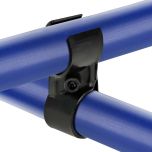
The H-7A is a black metal single joint used to assemble the HJ-7A joint set.
- Connect two pipes perpendicularly, one above the other, to create an open intersection.
- Used to strengthen structures.
- Compatible with 28 mm pipes
A Flexpipe Product

The H-7A is a black metal single joint used to assemble the HJ-7A joint set.
- Connect two pipes perpendicularly, one above the other, to create an open intersection.
- Used to strengthen structures.
- Compatible with 28 mm pipes
A Flexpipe Product
| ESD Safe | No |
| Weight | 0.088000 |
| Series | Pipe |
| Color | Black |
| Material | Steel |
| Finish | Cathodic Electrodeposition (Ecoating) |
| Overall Length | 2.625” (67.00mm) |
| Overall Width | 1.000" (25mm) |
| Overall Height | 075" (19.00mm) |
| Thickness | .125” (2.50mm) |

The H-7A is a black metal single joint used to assemble the HJ-7A joint set.
- Connect two pipes perpendicularly, one above the other, to create an open intersection.
- Used to strengthen structures.
- Compatible with 28 mm pipes
A Flexpipe Product
** In accordance with GDPR requirements, in order to download CAD files you will need to sign in to your PartCommunity account below, after clicking Generate. A partCommunity account is separate from your 80/20 account. If you do not have a PartCommunity account, you will need to create a free account.
Product Specs
- Product Details
-
ESD Safe No Weight 0.088000 Series Pipe Color Black Material Steel Finish Cathodic Electrodeposition (Ecoating) Overall Length 2.625” (67.00mm) Overall Width 1.000" (25mm) Overall Height 075" (19.00mm) Thickness .125” (2.50mm)
-
- Description
The H-7A is a black metal single joint used to assemble the HJ-7A joint set.
- Connect two pipes perpendicularly, one above the other, to create an open intersection.
- Used to strengthen structures.
- Compatible with 28 mm pipes
A Flexpipe Product
-
CAD Files
-
** In accordance with GDPR requirements, in order to download CAD files you will need to sign in to your PartCommunity account below, after clicking Generate. A partCommunity account is separate from your 80/20 account. If you do not have a PartCommunity account, you will need to create a free account.
-