


Related Products
-
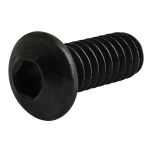 Part No. 3063$0.391/4-20 x .625" Button Head Socket Cap Screw (BHSCS)
My Wish Lists
()
2495
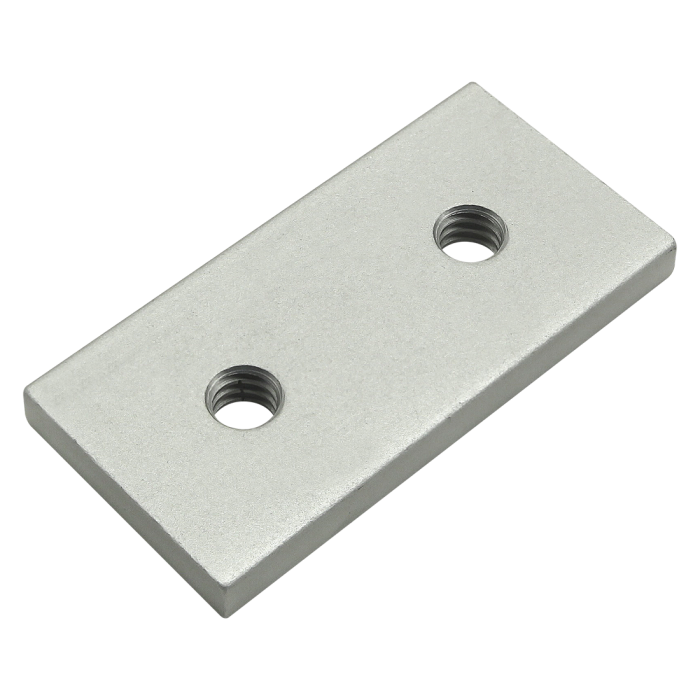
10 Series Wide Backing Plate
10 Series Wide Backing Plate
The wide backing plate is used with the single arm wide mesh retainer or the double arm wide mesh retainer to secure wire mesh or panels. The suggested hardware for the wide backing plate should be based on the mesh or panel type and thickness.
| ESD Safe | Yes |
| Series | 10 Series |
| Material | Aluminum |
| Grade | 6063-T6 |
| Process | Milled |
| Finish | Anodize |
| Color | Clear |
| A | 2.000" |
| B | .500" |
| C | 1.000" |
| D | .500" |
| E | 1.000" |
| F | 1/4-20 |
| G | .188" |
| Weight | 0.036000 |

The wide backing plate is used with the single arm wide mesh retainer or the double arm wide mesh retainer to secure wire mesh or panels. The suggested hardware for the wide backing plate should be based on the mesh or panel type and thickness.
Mount to Backing Plate
| Series | Part Number | Qty | Description |
|---|---|---|---|
 | 3063 | 2 | 1/4-20 x .625" Button Head Socket Cap Screw (BHSCS) |
** In accordance with GDPR requirements, in order to download CAD files you will need to sign in to your PartCommunity account below, after clicking Generate. A partCommunity account is separate from your 80/20 account. If you do not have a PartCommunity account, you will need to create a free account.
Product Specs
- Product Details
-
ESD Safe Yes Series 10 Series Material Aluminum Grade 6063-T6 Process Milled Finish Anodize Color Clear A 2.000" B .500" C 1.000" D .500" E 1.000" F 1/4-20 G .188" Weight 0.036000
-
- Description
The wide backing plate is used with the single arm wide mesh retainer or the double arm wide mesh retainer to secure wire mesh or panels. The suggested hardware for the wide backing plate should be based on the mesh or panel type and thickness.
-
Sugg. Hardware
Mount to Backing Plate
Series Part Number Qty Description 3063 2 1/4-20 x .625" Button Head Socket Cap Screw (BHSCS)
-
CAD Files
-
** In accordance with GDPR requirements, in order to download CAD files you will need to sign in to your PartCommunity account below, after clicking Generate. A partCommunity account is separate from your 80/20 account. If you do not have a PartCommunity account, you will need to create a free account.
-